CloudSuite Scan Center App
Beagley Copperman is now using the Cloudsuite Scan Center App! This handy app, available for Android and iOS, can be downloaded from the Google Play Store and Apple App Store. With the Scan App, you can easily scan EAN-13, making ordering faster, more reliable, and more efficient.
How do I place an order using CloudSuite Scan Center?
Step 1: Download CloudSuite Scan Center in your favourite app store (Android or iOS).
iOS: https://apps.apple.com/nl/app/cloudsuite-scan-center/id6498710151
Andriod: https://play.google.com/store/apps/details?id=com.cloudsuite.scanner&pcampaignid=web_share
Step 2: Open the app and scan the QR-code below to connect with the Beagley Copperman webshop.
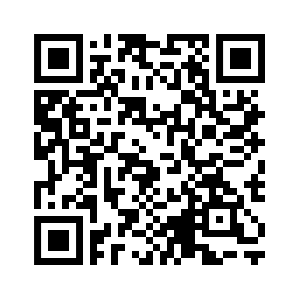
Step 3: Log in to the Beagley Copperman webshop within the Scan Center app, begin scanning products, and add them to your shopping cart.
Step 4: Complete your order at any time. This can be done directly from the Scan Center app, or at any other convenient time (for example, later from a laptop).